Please review the return policy & order details before approving or declining return request.
| Step |
Platform |
Step |
| 1. |
Shopify |
- Ensure that the return is not covered in return policy
- From return order page, click "Decline"
- Choose Decline Reason:
- Return window closed: order delivered more than 14 days
- Final sale: for non-refundable items
- Other: for order that is not returned within 7 days/ used item
- Amend customize message to customer:
- Return window closed: Your return request was declined because we only accept items that are returned within the time limit of our return policy. For more details, please refer to our Return & Exchange policy
- Final sale: Your return request was declined because we don't accept returns of final sale items. For more details, please refer to our Return & Exchange policy
- Other:
- Your return request was declined because the item is not returned within the specified timeframe
- Your return request was declined because it did not meet the criteria of our Return & Exchange policy. For more info, please refer to the Return & Exchange policy
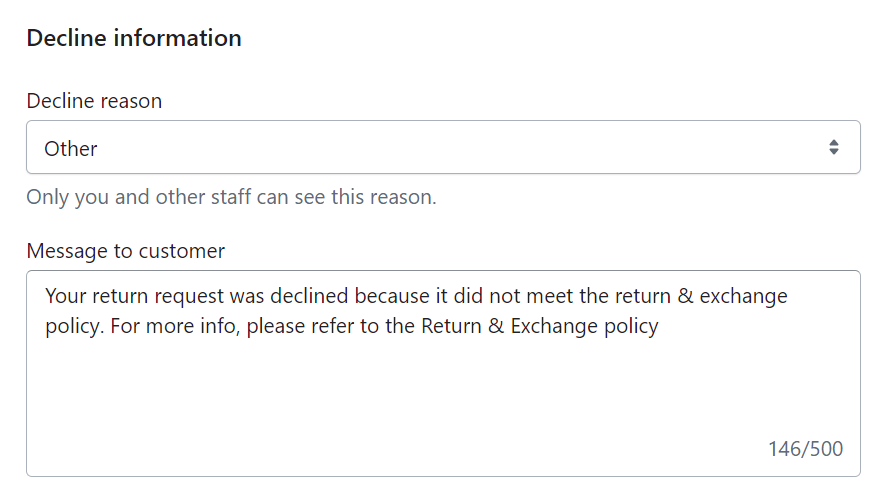
- Click Decline return request to finalize
|
| 2. |
Return tracker |
- Delete the return entry from tracker
|
| 3. |
Zendesk |
- Submit as Solved. Reply not needed
|

Comments
0 comments
Article is closed for comments.