*If customer request for a pickup option for SG or West MY, escalate to TL for exceptional handling. (subject to approval)
Once the authorization on Magento has been completed and the customer has confirmed the preferred pick up date and time, CS can proceed to follow the steps below to create a shipping label.
Note: Return pickup is free of charge.
|
Work Instructions
|
NinjaVan/Magento/Zendesk
|
|
Step 1:
1. Login to NinjaVan account at https://dashboard.ninjavan.co/home
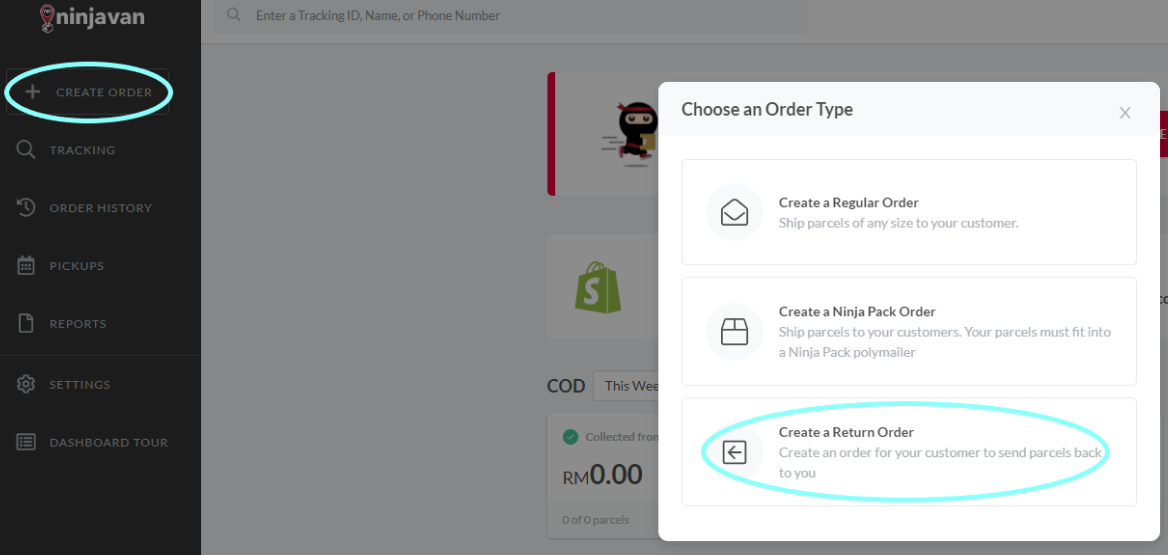
2. From the main page, click 'Create Order' > 'Create a Return Order'
|
 |
|
Step 2: Fill in the Return Order
Part I: Pickup From Customer
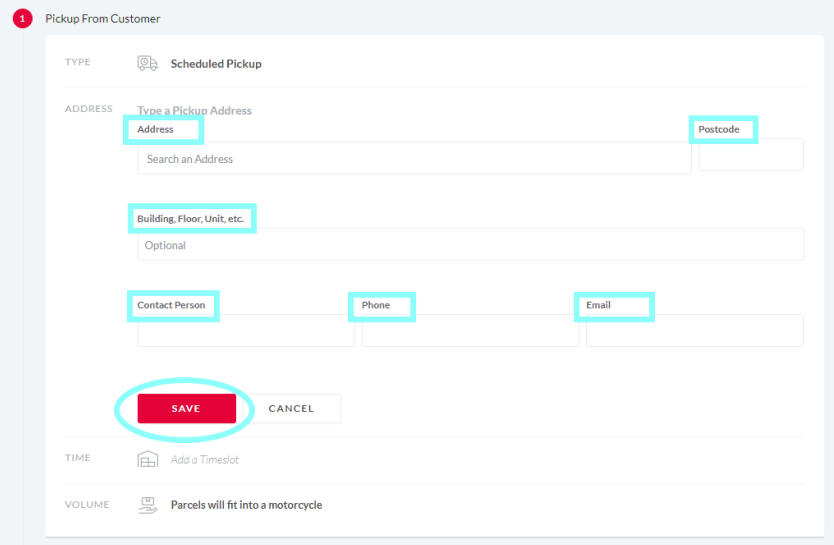
1. Address
- Address/Postcode/Building,Floor,Unit = Customer's address
- Contact Person = Customer's name
- Phone = Input the customer's contact number
- Email = Input the customer's email address
Click 'SAVE'
|
 |
|
Part I: Pickup From Customer
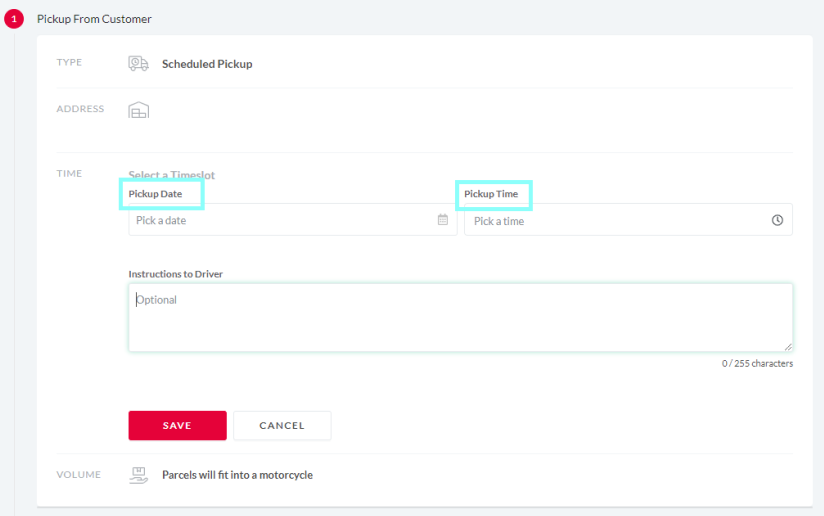
2. Time
- Pickup Date = Select the agreed date with customer
- Pickup Time = Select the agreed time slot with customer
Click 'SAVE' and 'SAVE & CONTINUE'
|
|
|
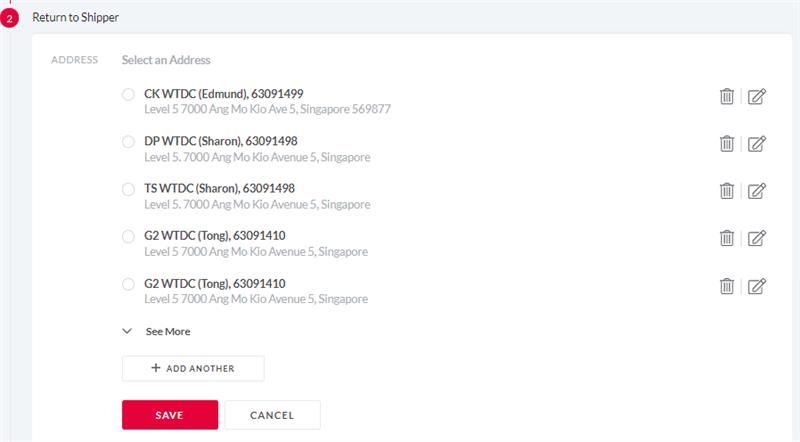
Part II: Return to Shipper
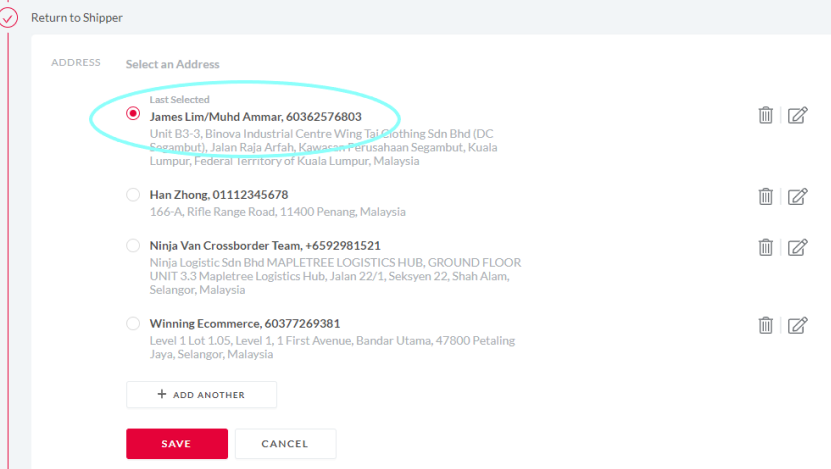
1. Address = Select as below:
MY: 'James Lim/Muhd Ammar'
SG: 'Wing Tai Ecommerce Returns'
click 'SAVE' and click 'SAVE & CONTINUE'
|
|
|
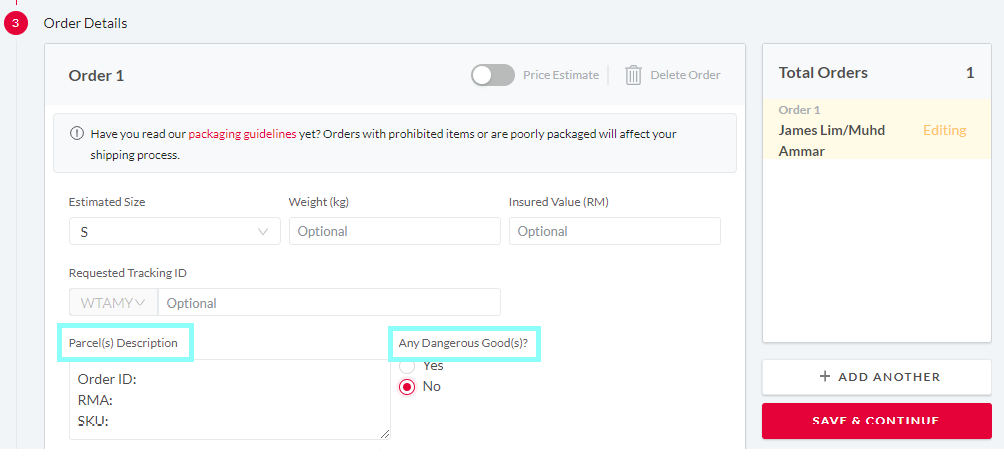
Part III: Order Details
Order 1
Order ID:
RMA:
SKU:
- Any Dangerous Good(s) = Select 'No'
Click 'SAVE & CONTINUE'
Part IV: Review & Create Return
Click 'CONTINUE'
|

|
|
Step 3: (Only for MY)
Download shipping label and attach to the email response.
|
|
|
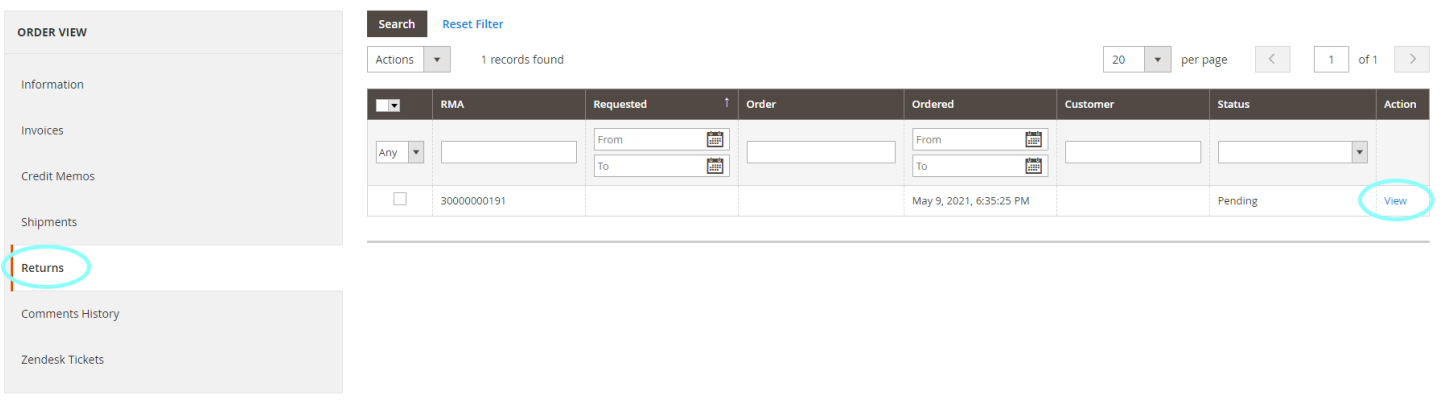
Step 4: Add return TID in Magento
1. In the Order ID page, click 'Returns' under order view.
2. Select 'view' on the RMA.
3. In the RMA page, click 'General Information' under Return Information.
4. Under the 'Shipping Method', CS to fill as below:
- Title = Input the courier's name
- Number = Return TID (Can be found in shipping label)
- Action = Click 'add'
|

|
|
Step 5: Update Consolidated tracker
Link: SG Tracker & MY Tracker
|

|
|
Step 6: Email customer the pickup confirmation and click 'Submit as On Hold'
|
Macro for email response
Return/Refund::Return Pick Up MY::Successfully Scheduled
|
|

Comments
0 comments
Article is closed for comments.